
Animeko Review
Perhaps you are tired of hopping across various resource sites just to watch anime and putting up with all the annoying ads, especially those redirect ones. Or perhaps you are scratching your head collecting sources. At least, that was me before I found Animeko, an all‑in‑one anime app (hereafter, “Ani”).
Ani is an open‑source, free “follow anime” platform on GitHub. From my short trial, it genuinely solved my pain points. I no longer have to endure the hassle of hunting down sources. Now I just open Ani and enjoy.
Easy to use
As its description says, Ani is a one‑stop online platform for watching anime. When I want to play an episode, Ani automatically switches to a suitable video source within seconds, and also picks the matching danmaku source, with no manual work needed. In the player, Ani supports most features you would expect from a modern player: swipe with one finger to scrub, press and hold for 2× fast‑forward, episode selection, and danmaku settings such as font size and opacity. You can also fill in danmaku directly in the app.
If I had to nitpick, it would be that fast‑forwarding does not show preview thumbnails like YouTube or Bilibili. But since sources are loaded in real time and bandwidth needs to be conserved, this is understandable.
For data sync, Ani can synchronize across platforms, provided you sign in via a third‑party account system. On first launch you can optionally log in with Bangumi, a comprehensive database and ratings community popular with Chinese‑speaking users. You can rate shows there, and once you sign in, Ani can write your watch history and favorites back to Bangumi in real time. Comments shown in Ani also come from Bangumi.
Polished UI and multi‑platform experience
It’s worth highlighting that the interface closely follows Google’s Material Design guidelines, keeping a design language consistent with Android. The UI is clean and focused. Thoughtful design paired with fluid animations significantly boosts the joy of opening the app. Ani supports Material You and can sync with your custom color, including icons, giving plenty of personalization.
According to its repository, the app is built with Kotlin Multiplatform. Ani currently supports Windows, macOS, and Android, and the team plans to ship an iOS version.
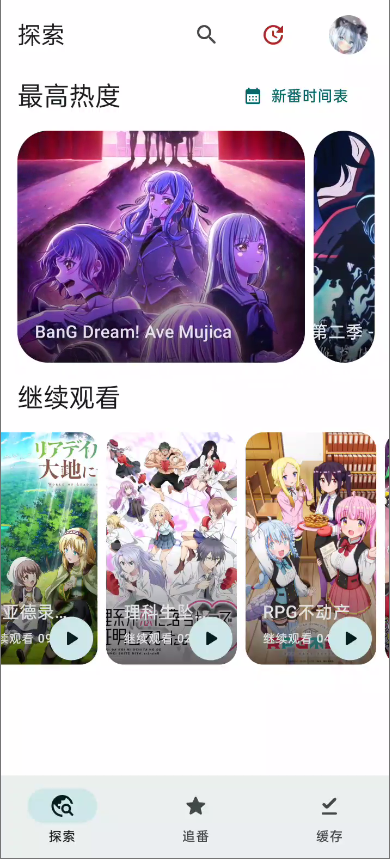
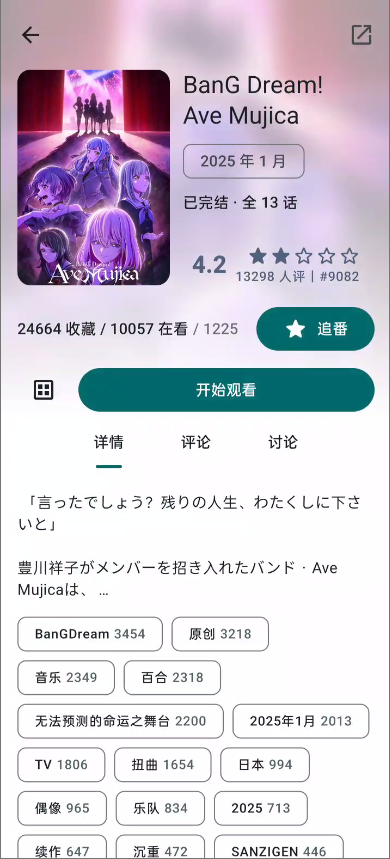
Ani is a pleasantly surprising online streaming app. I tested on a OnePlus 12 with a Snapdragon 8 Gen 3 SoC. In my experience it was very stable, with no bugs or freezes. Occasionally a page took a bit longer to load, but that depended on the network. The app supports virtually every platform, offers cross‑platform data sync, and its elegant design and smooth animations make it especially enjoyable to use. And it’s completely free and open source on top of that.
 Anda Toshiki